
Finance · project costs
A cost-control agent that matches every total to the cent and reports only what changed
In use since August 2026, on a partner's building projectWorking case · under NDA
It checks a shared register of payments between two co-investors. We don't name the project. Code does the matching, the agent explains the changes, and it writes nothing to the sheet.
In numbers
- Payment rows checked in each run
- 1,700+
- Reports published
- 12
- Totals that must match before any report
- 4
August to October 2026, from the agent's own records.
What it produces
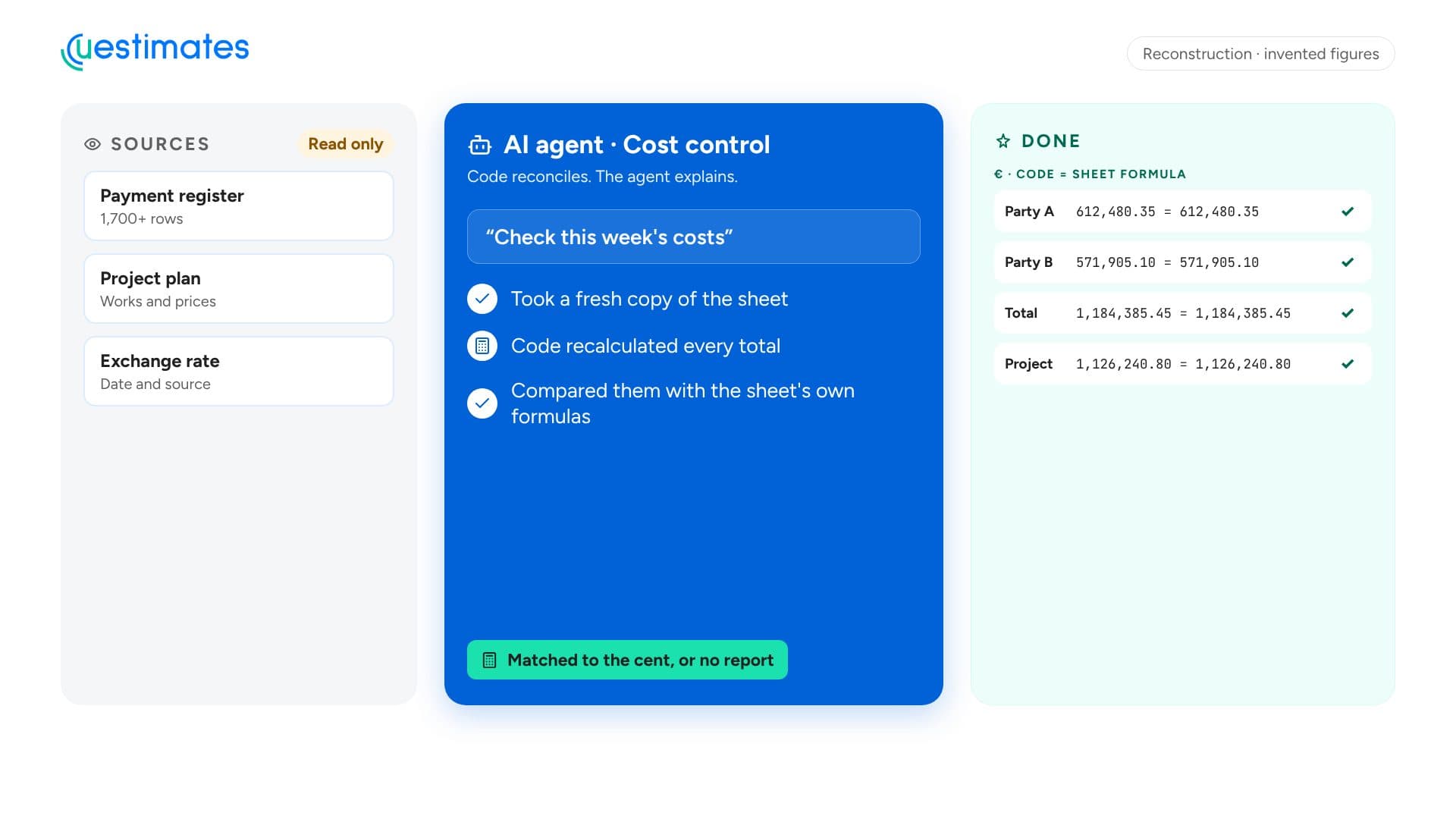
Illustration · invented figuresTotals matchedFour totals recalculated by code and compared with the sheet's own formulas. 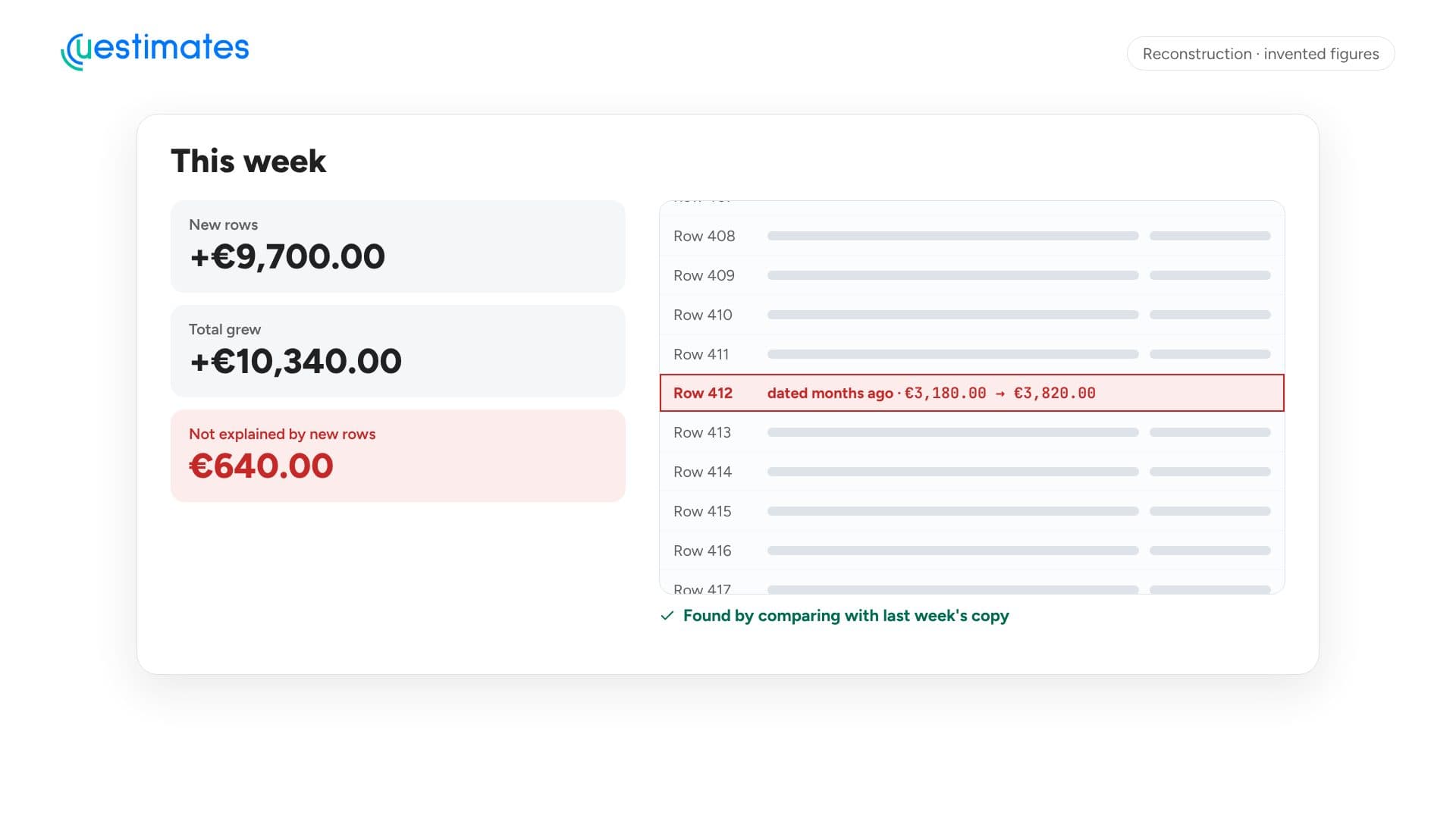
Illustration · invented figuresAn old amount changedNew rows explain 9,700. The total grew by 10,340. The agent finds the row. 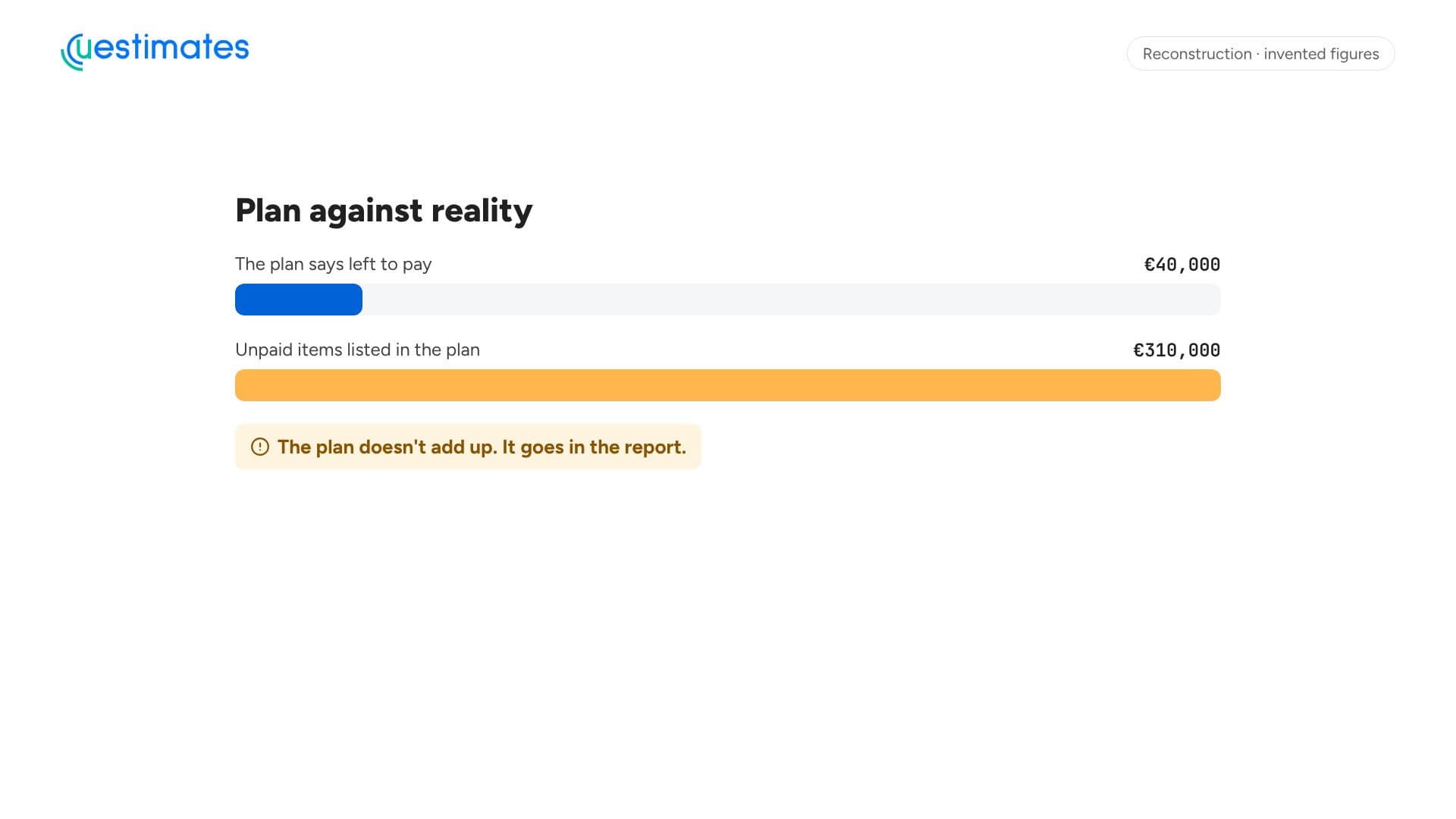
Illustration · invented figuresPlan against realityWhat the plan says is left against the unpaid items it lists. 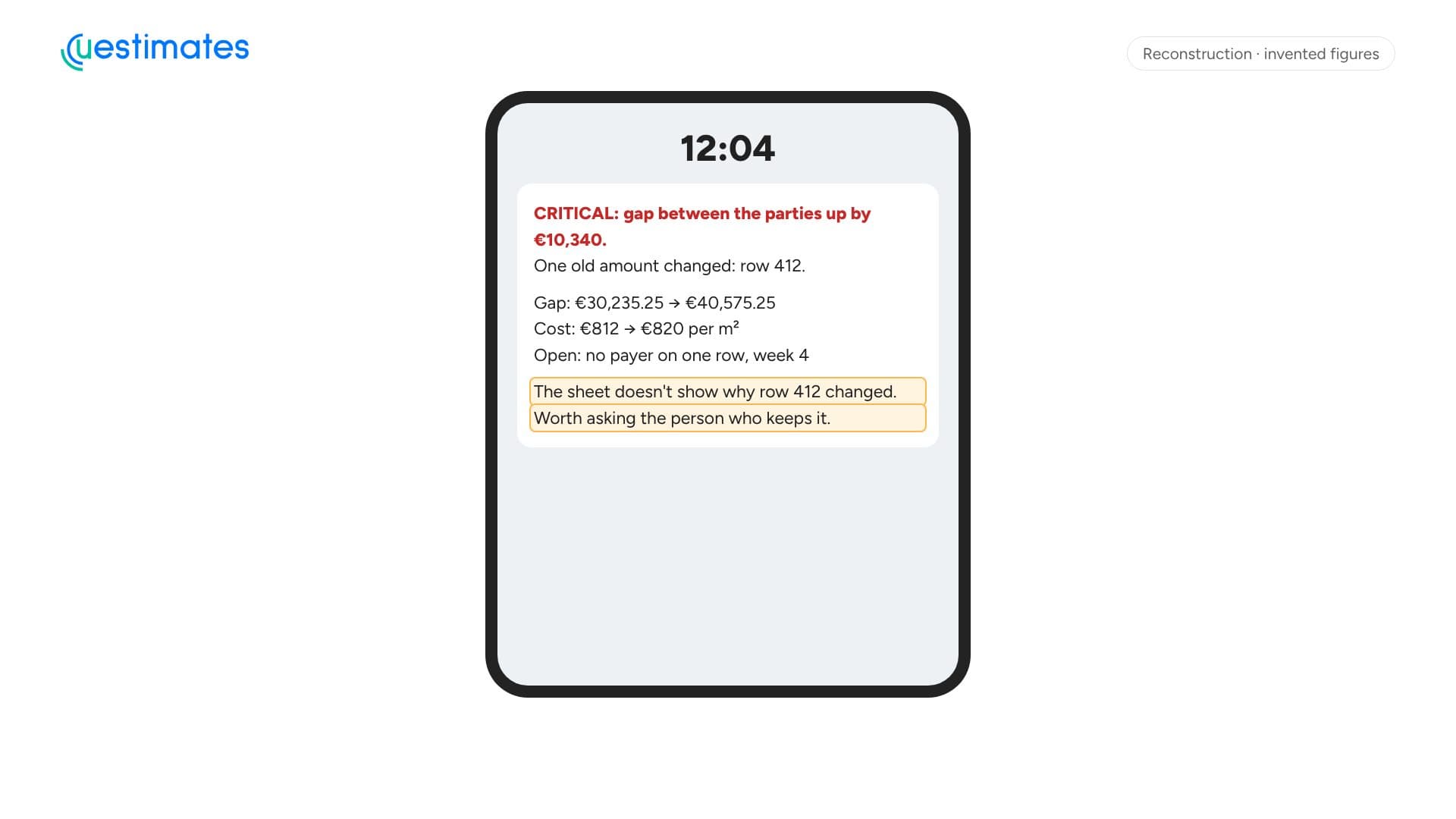
Illustration · invented figuresSummaryA few lines. Anything critical comes first.
How it works
Step 1: Fresh copy
Code takes a read-only copy of the sheet and the exchange rate.Step 2: Match to the cent
Code recalculates four totals. If one differs from the sheet's formula, the run stops.Step 3: Compare and flag
Code finds new rows, moved dates and changed amounts, and applies fixed limits.Step 4: Explain and report
The agent writes what changed, and says so when the sheet doesn't show why.
Works with
- Payment register
- Project plan
- Public exchange rate
- Private dashboard
Want an agent like this?
We start with one task. You see the agent work on your own past data before anyone relies on it.